Getting Started with IQEdgePro
Accessing IQEdgePro
IQEdgePro provides a built-in web-based management interface that allows users to configure devices, manage protocols, monitor system status, and control data forwarding directly from the edge gateway.
Once IQEdgePro is running on a supported IQFLOW edge gateway, all configuration and management tasks can be performed through this web interface using a standard web browser.
To access the IQEdgePro web interface:
- Ensure the IQFLOW edge gateway is powered on
- Connect your computer to the same network as the gateway
- Open a web browser (Chrome, Edge, or Firefox recommended)
- Enter the gateway IP address into the browser address bar
IQEdgePro supports router features, you can treat it as a router with default IP address 192.168.1.1
-
Connect the gateway LAN port to your PC ETH port directly. Since the IQEdgePro running a DHCP service, your PC will obtain an IP address 192.168.1.x from gateway automatically. If not, please check if your PC has configured a static IP address manually, please change it to same LAN as 192.168.1.x at 255.255.255.0 mask, with default gateway IP 192.168.1.1
-
Open a web browser on your PC and enter http://192.168.1.1 address. The IQEdgePro webUI will appear and request an username and password to login.
-
Enter the default username password “admin/admin” to login the webUI of IQEdgePro.
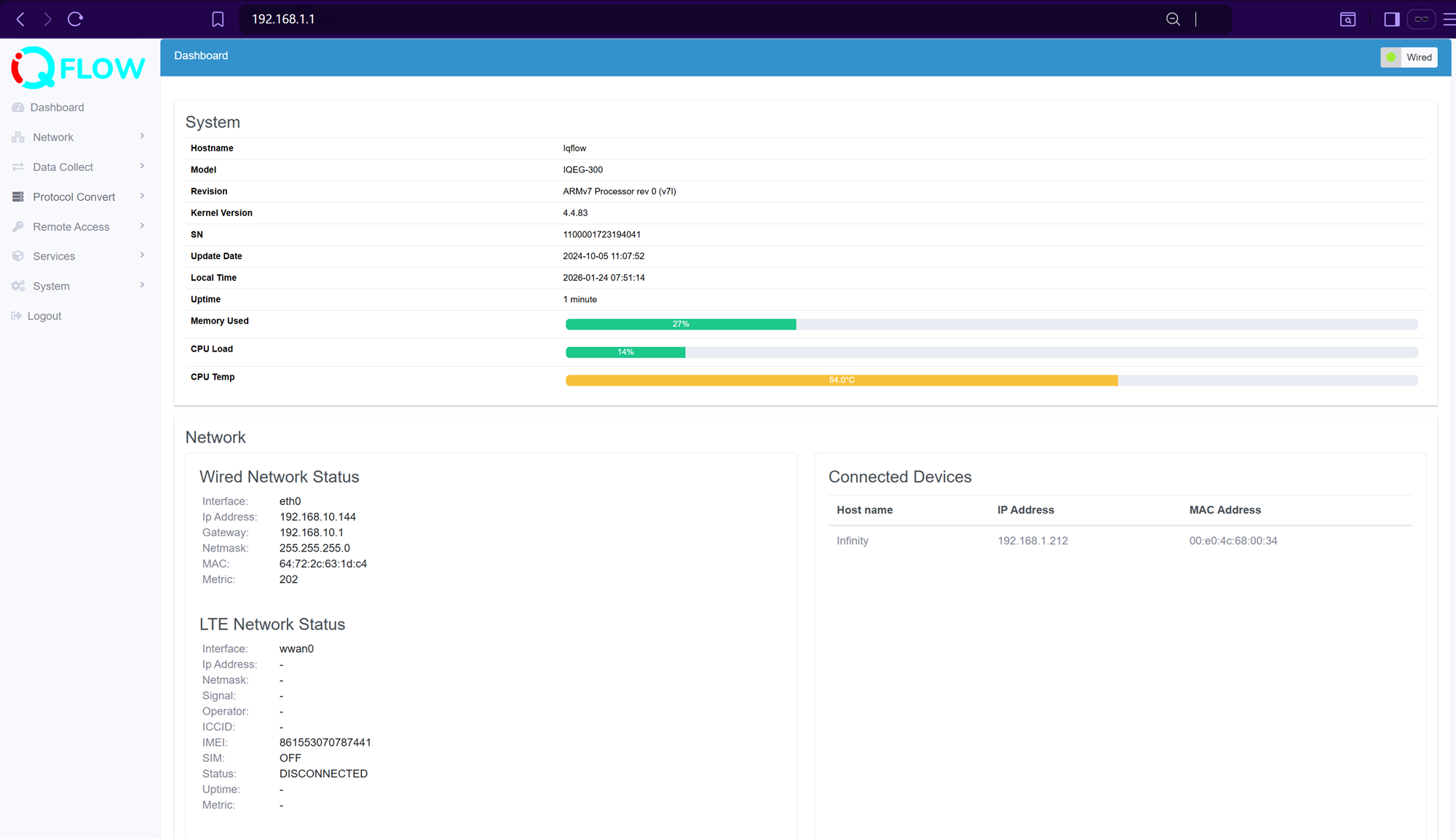
Note: You can also access the webUI via the gateway WAN IP address, the typical connectivity is your PC and gateway WAN both connect on your office router (upper level router), so that your PC and gateway are both in your office router’s LAN, which allows your PC access to the gateway via its WAN IP address.
The IQEdgePro configuration settings are organised under the following pages:
- Dashboard: Dashboard to monitor the system and network status
- Network: All networks related configuration settings
- Data Collect: Data acquisition related configuration settings, divide to southbound and northbound connection settings.
- Protocol Convert: protocol convert between Modbus RTU and Modbus TCP, BACnet MSTP and BACnet IP.
- Remote Access: Remote access the gateway by DDNS, VPN, and other platform for field devices management remotely.
- Services: 3rd party service integration like Node-Red, LoraWAN NS Chirpstack, Docker.
- System: System related and device configuration settings.