Python Secondary Development
Python is a powerful and easy-to-learn scripting language, well-suited for edge IoT development. All IQFLOW IQEG gateways come with a built-in Python 3 interpreter, allowing developers to quickly write and run Python scripts without additional setup.
Typical use cases like:
- Serial and network communication (e.g., Modbus, MQTT, TCP/UDP)
- Data acquisition and local processing
- Controlling LEDs, buzzers, relays, etc.
- Edge computing and cloud integration
1. Supported Models
The following IQFLOW gateways come with Python 3 pre-installed:
- Industrial Raspberry Pi series: IQEG-500
- ARM-based IIoT Gateway series: IQEG-300, IQEG-300-Lite, IQEC-100
Python development is supported out-of-the-box across all these models.
2. "Hello World" Example
Create a basic Python script named hello.py:
**hello.py**
print("Hello, IQFLOW Gateway!")
Step 1: Create the Script
Use any text editor to create a file called hello.py with the content above.
Step 2: Upload the Script to the Gateway
Option A: Web Terminal Upload
IQEdgePro has prebuilt a web terminal tool on webUI, which also support upload files via web.
Access the IQEdgePro webUI http://192.168.1.1 (Check IQEdgePro Getting Started for more details)
Go to System -> Terminal
Use Upload Files to upload hello.py
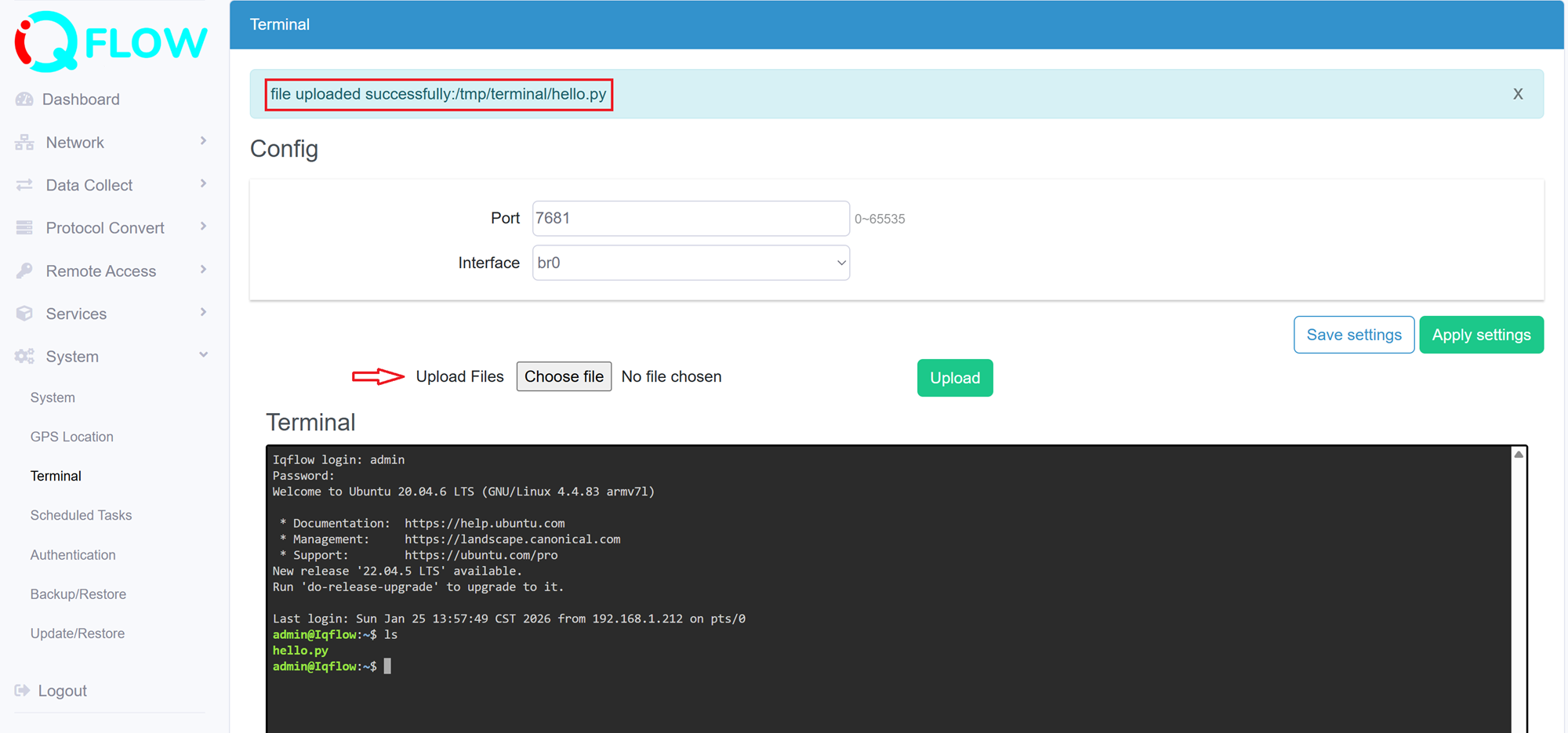
Files uploaded here will be stored in /tmp, which is cleared on reboot. Move to /home/admin for persistence:
sudo mv /tmp/terminal/hello.py /home/admin/
Option B: MobaXterm / Xshell (Recommended)
- Connect via SSH to the gateway
- Drag and drop the file into the SFTP panel to upload it to /home/admin/
Step 3: Run the Script
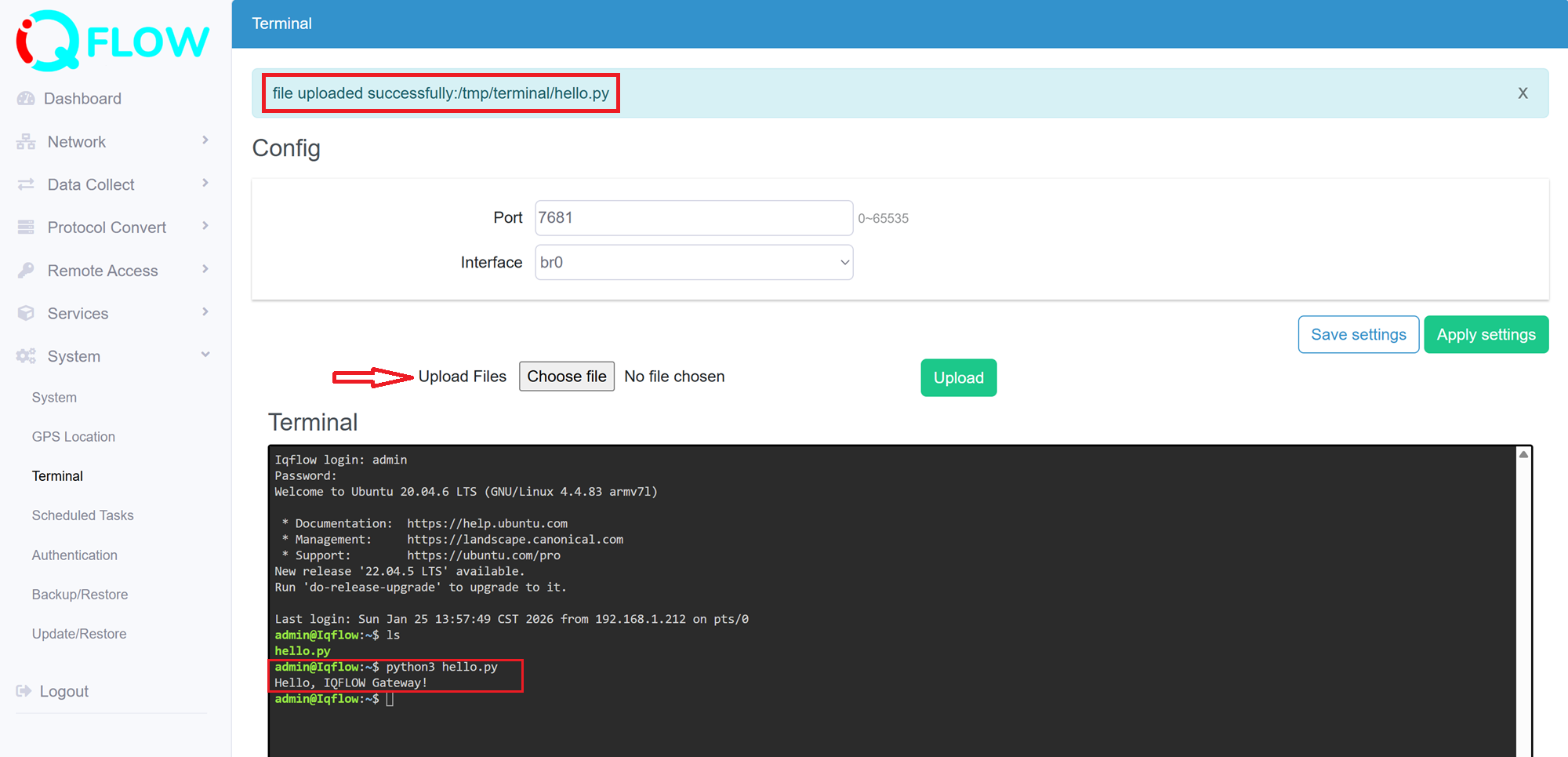
Log in via SSH or Terminal and execute the following:
cd /home/admin
python3 hello.py
Output:
Hello, IQFLOW Gateway!
3. Recommendations Practices
- Use built-in interfaces (e.g., serial ports, GPIO, MQTT, Ethernet) for development
- Configure /etc/init.d/rcS for startup service or use crontab for scheduled runs
- Ensure scripts use UNIX-style line endings (LF) to avoid execution errors
4. Appendix Tables
| IQEG-300 Peripheral Resource | Device Interface Name |
|---|---|
| COM1 | /dev/ttyAMA0 |
| COM2 | /dev/ttyAMA1 |
| COM3 | /dev/ttyAMA2 |
| COM4 | /dev/ttyAMA3 |
| SYS LED Indicator | /dev/led |
| SYS2 LED Indicator | /dev/led2 |
| Buzzer | /dev/buzzer |
| Ethernet Port 1 | eth0 |
| Ethernet Port 2 | eth1 |
Note: For other models, please contact Elastel support or refer to models hardware manuals for Peripheral Interface tables.