Reporting Center
Reporting server refers to the “Reporting Center” setting item mentioned in configuration of the south devices rules. The number is associated to server “x” setting. For example, if configure reporting center as 1 in south device rule, it will report to server 1, if configured as 1-2-3, it will report to server 1, server 2, and server 3 in parallel.
It supports up to 5 reporting servers setting independently. Each server support configuring many kinds of industrial communication protocols.
MQTT Protocol
MQTT (Message Queuing Telemetry Transport) is a lightweight messaging protocol designed for low-bandwidth, unreliable network environments, commonly used in IoT (Internet of Things) communication. It operates on a publish/subscribe model to ensure reliable message delivery. The Edge gateway act as MQTT client to publish and subscribe data with MQTT broker.
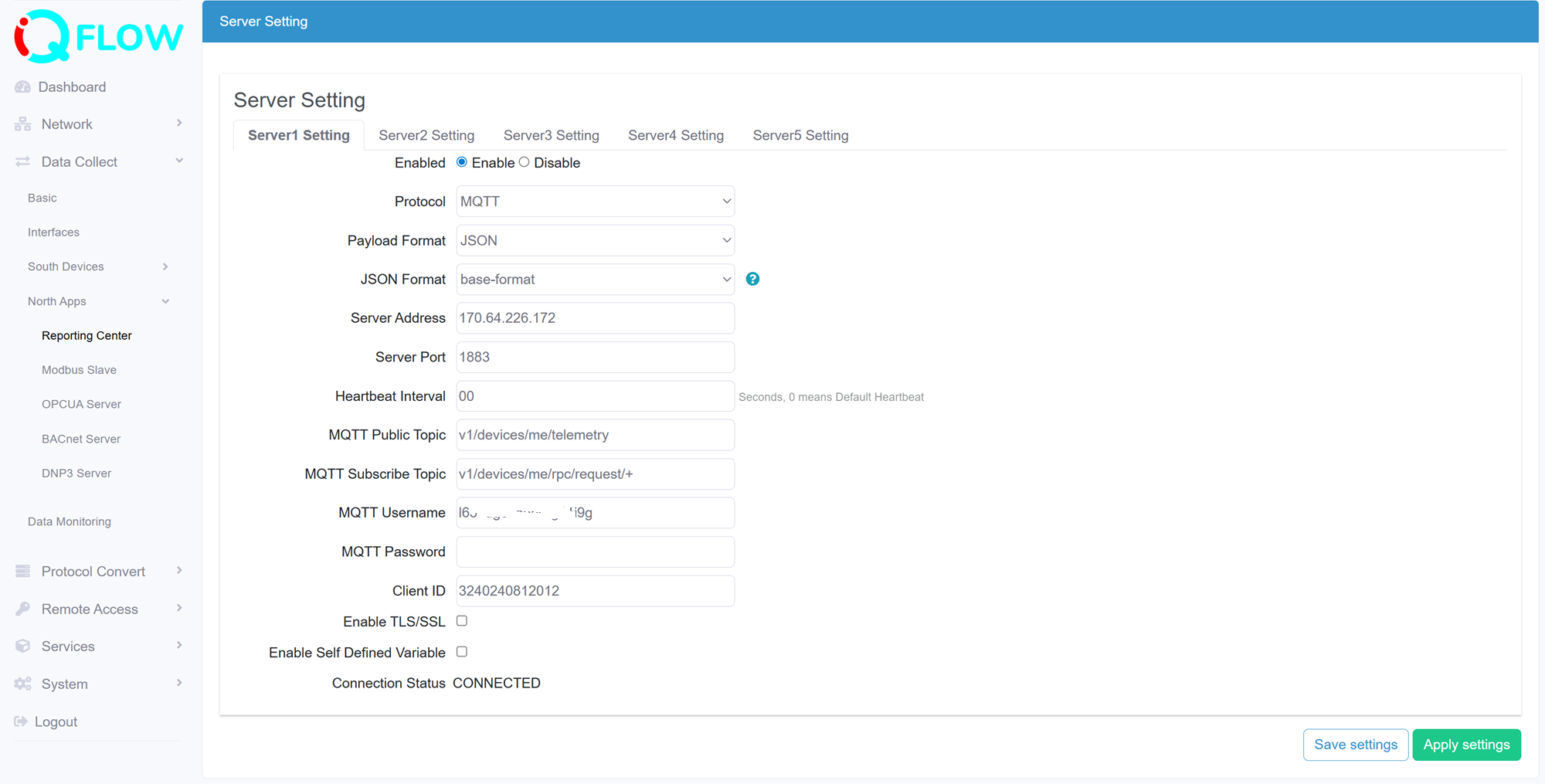
- Specify a server to configure
- Enable/Disable the server
- Select the communication protocol between Edge gateway and the server, this section we select MQTT
- Select the Encapsulation Type for data format upload to server, options: JSON, Transparent
- Configure the Server address
- Configure the server port
- Configure the Heartbeat Interval, heartbeat is for keep alive connection between Edge gateway and server
- Configure the MQTT public topic
- Configure the MQTT subscribe topic
- Configure the MQTT username
- Configure the MQTT password
- Configure the MQTT client ID
- Enable TLS/SSL certification, it provide three certificate type if enabled,
- CA signed server certificate
- One-way certification, request upload CA file
- Two-way certification, request upload CA file, public and private keys
- Enable self defined variable, this is specific add extra parameters in payload to match some cloud platform requirements
- Indicate the connection status
SparkPlugB Protocol
Sparkplug B is a specification designed specifically for IoT applications so that MQTT devices and applications can send and receive messages in a stateful way. Edge gateway act as SparkPlugB MQTT client to publish and subscribe data with MQTT broker.
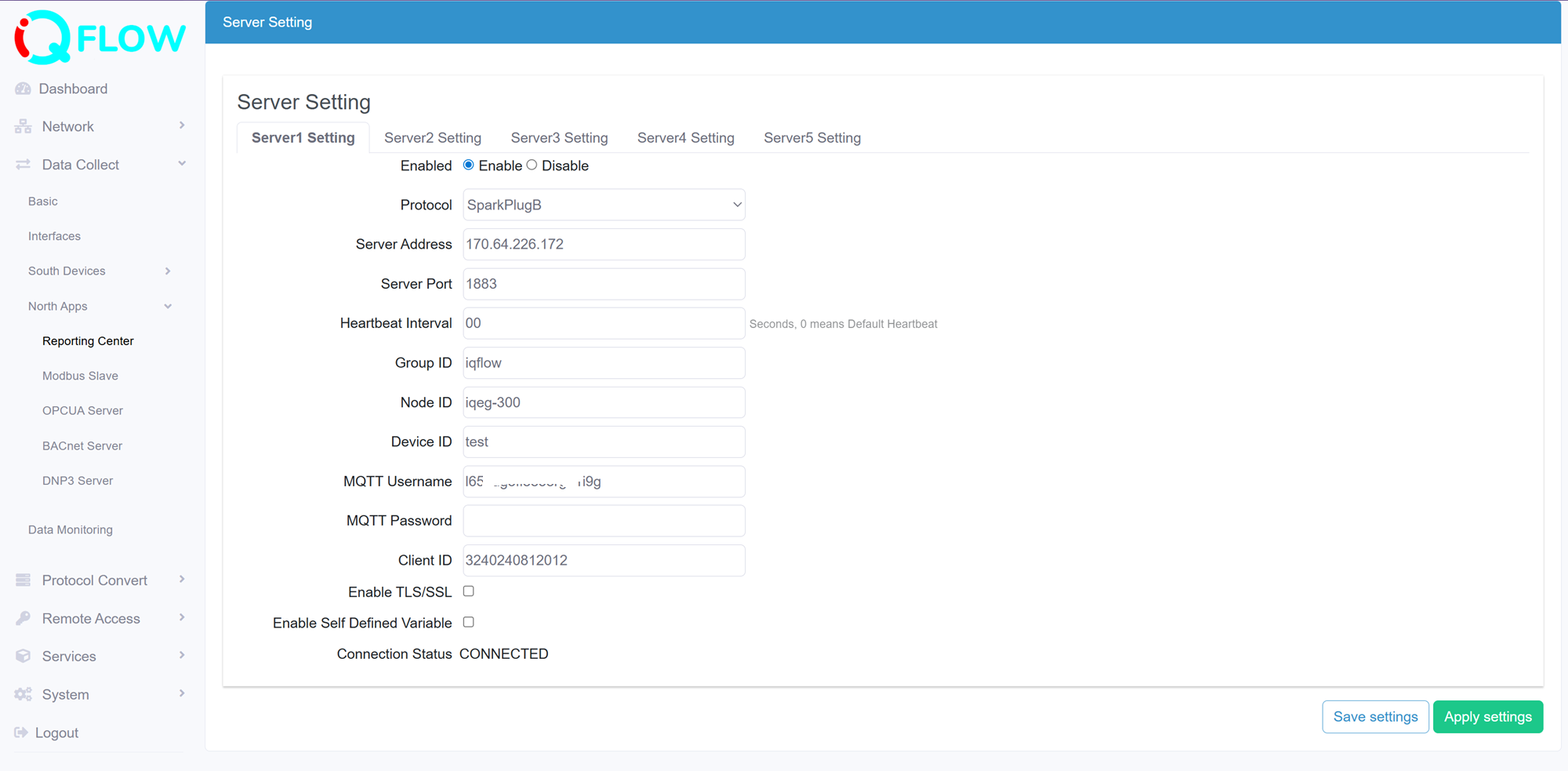
- Specify a server to configure
- Enable/Disable the server
- Select the communication protocol between Edge gateway and the server, this section we select SparkPlugB
- Configure the Server address
- Configure the server port
- Configure the Heartbeat Interval, heartbeat is for keep alive connection between Edge gateway and server
- Configure the Group ID
- Configure the Node ID
- Configure the Device ID
- Configure the MQTT username
- Configure the MQTT password
- Configure the MQTT client ID
- Enable TLS/SSL certification, it provide three certificate type if enabled,
- CA signed server certificate
- One-way certification, request upload CA file
- Two-way certification, request upload CA file, public and private keys
- Indicate the server connection status
TCP Protocol
IQEG Edge gateway act as TCP client to communicate with TCP server.
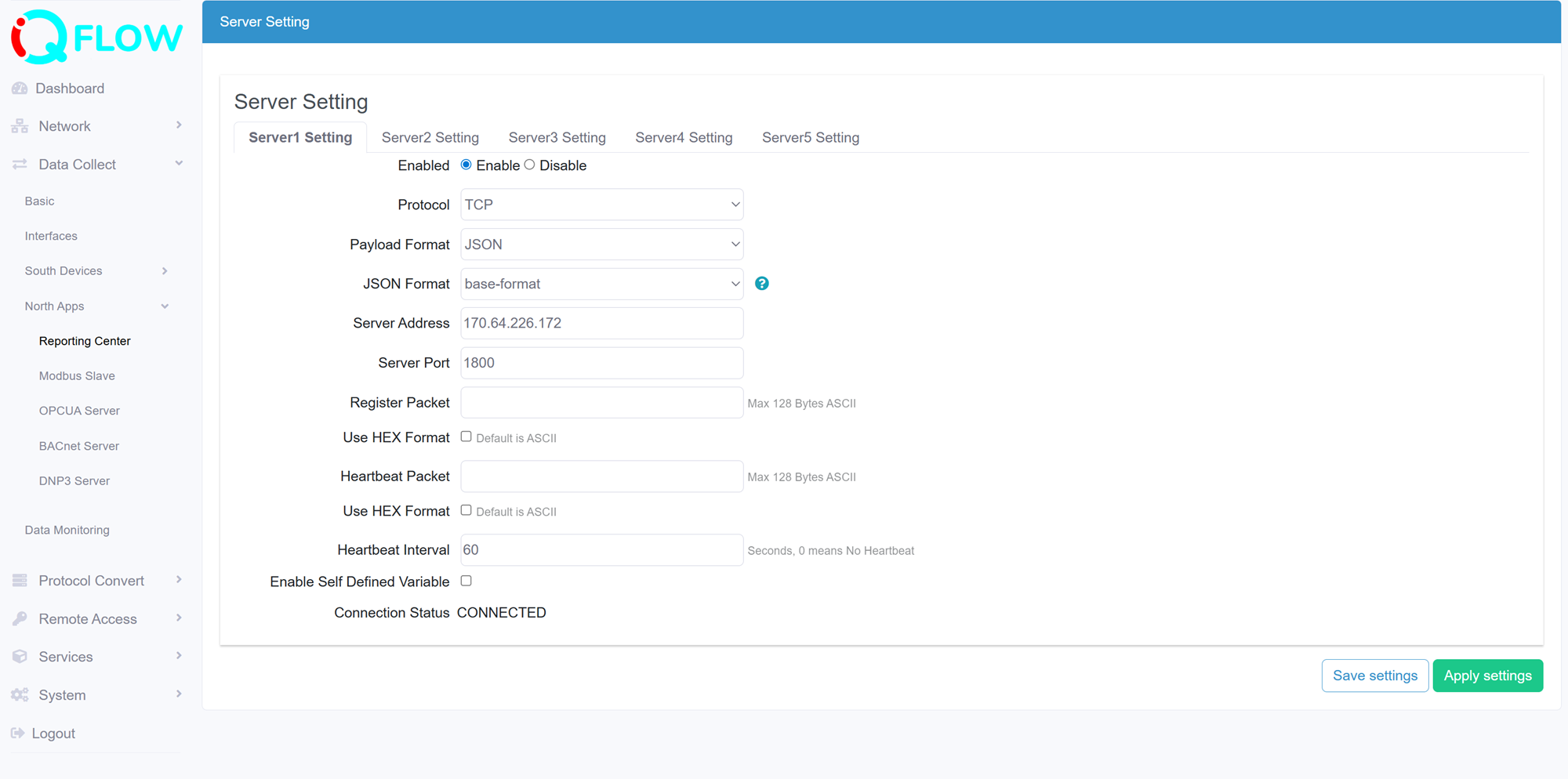
- Specify a server to configure
- Enable/Disable the server
- Select the communication protocol between Edge gateway and the server, this section we select TCP
- Select the Encapsulation Type for data format upload to server, options: JSON, Transparent
- Configure the Server address
- Configure the server port
- Configure the Register packet
- Set the register packet use HEX format, some TCP server may request that, the default is ASCII format
- Configure the Heartbeat Packet
- Set the heartbeat packet use HEX format, some TCP server may request that, the default is ASCII format
- Configure the Heartbeat Interval, heartbeat is for keep alive connection between Edge gateway and server
- Enable self defined variable, this is specific add extra parameters in payload to match some cloud platform requirements
- Indicate the connection status
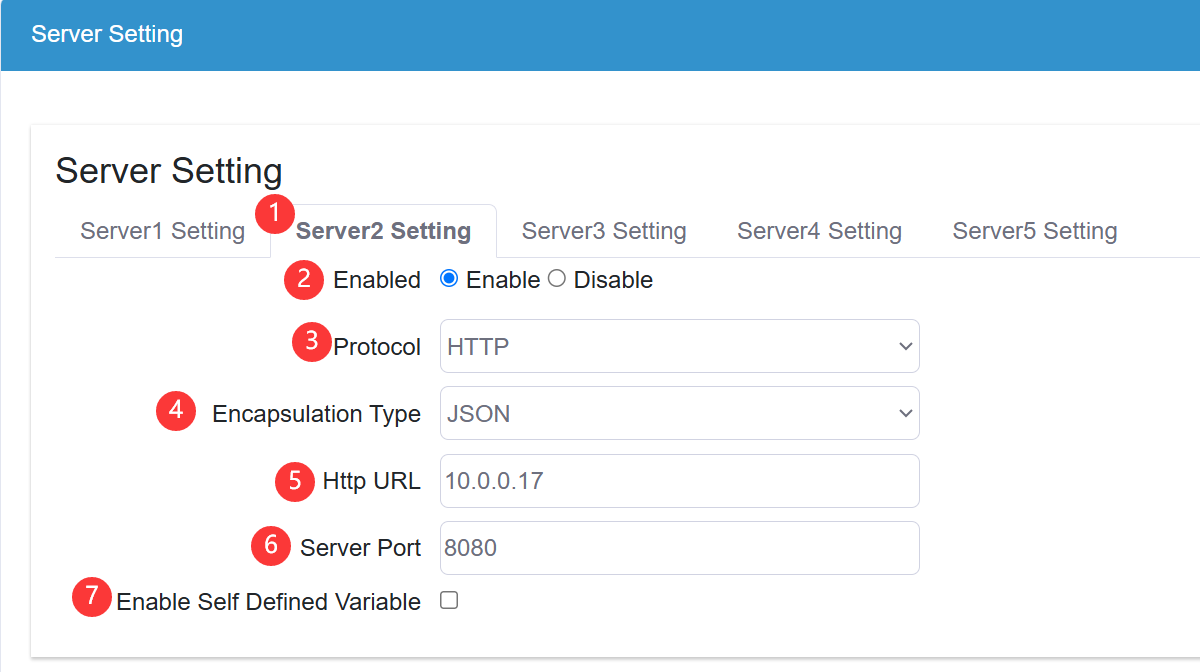
HTTP Protocol
IQEG Edge gateway act as HTTP Post to communicate with TCP server.