ASCII Rules
ASCII Rules refers to a ASCII Command that communication between Edge gateway and south device. Go to Data Collect >> South Devices>> ASCII Rules to view and configure ASCII Rules list.
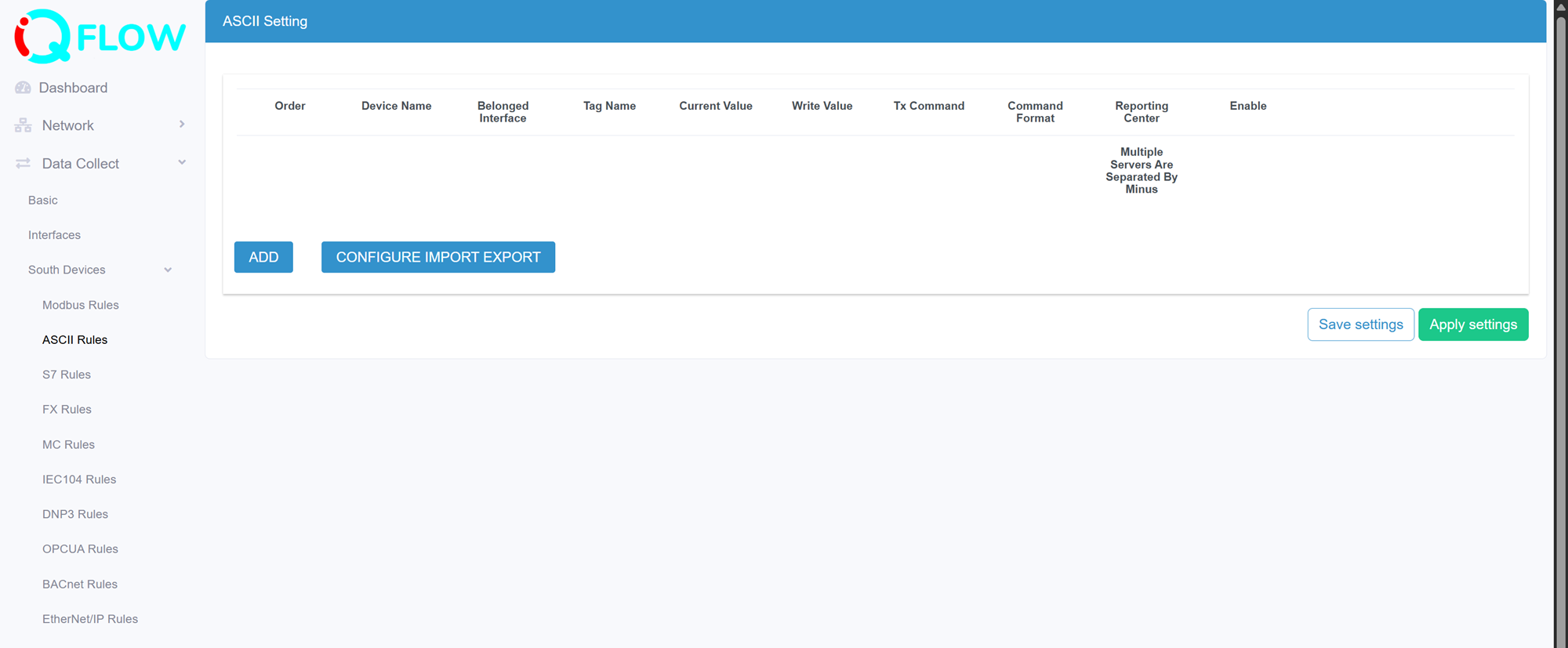
- Preview the current value that collected from southbound device under this rule communication
- Edit the added rule
- Delete the added rule
- Add a new rule
- Export and import the rules configuration in csv template file. This is useful for rules configuration backup and batch operation
Add an ASCII rule
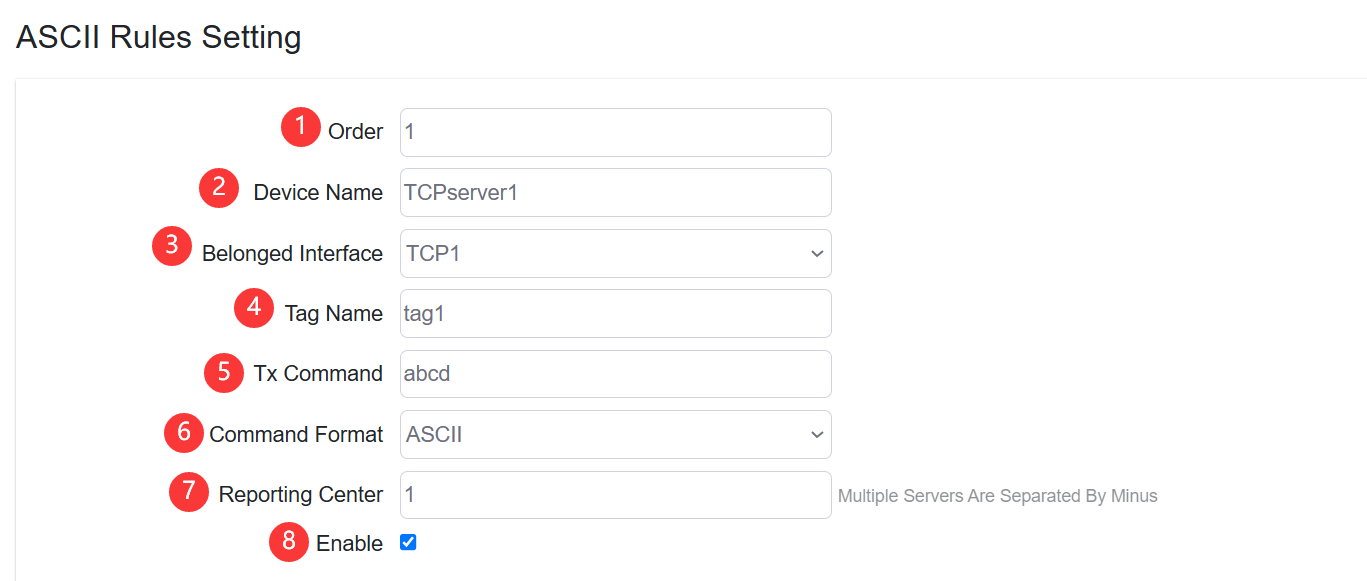
- Set the ASCII rule order
- Specify the slave device name
- Configure the belonged interface that the rule applied.
Note: at Interface>> Serial Port setting or TCP Server setting should select “ASCII” protocol first before add an ASCII communication rule.
- Configure the Tag Name of data returned from slave device.
- Configure the Tx command to sending to slave device.
- Select the command data format, it supports “ASCII” and “HEX” format
- Specify the reporting center that the collected data be reported to. The number is associated to North App>>Reporting Center>> Server “1~5”
- Enable/disable the rule be applied