S7 Rules
S7 Rules refers to configuring the communication rule for Edge gateway collect data from Siemens S7 series PLC. Go to Data Collect >> South Devices>> S7 Rules to view and configure S7 Rules list.
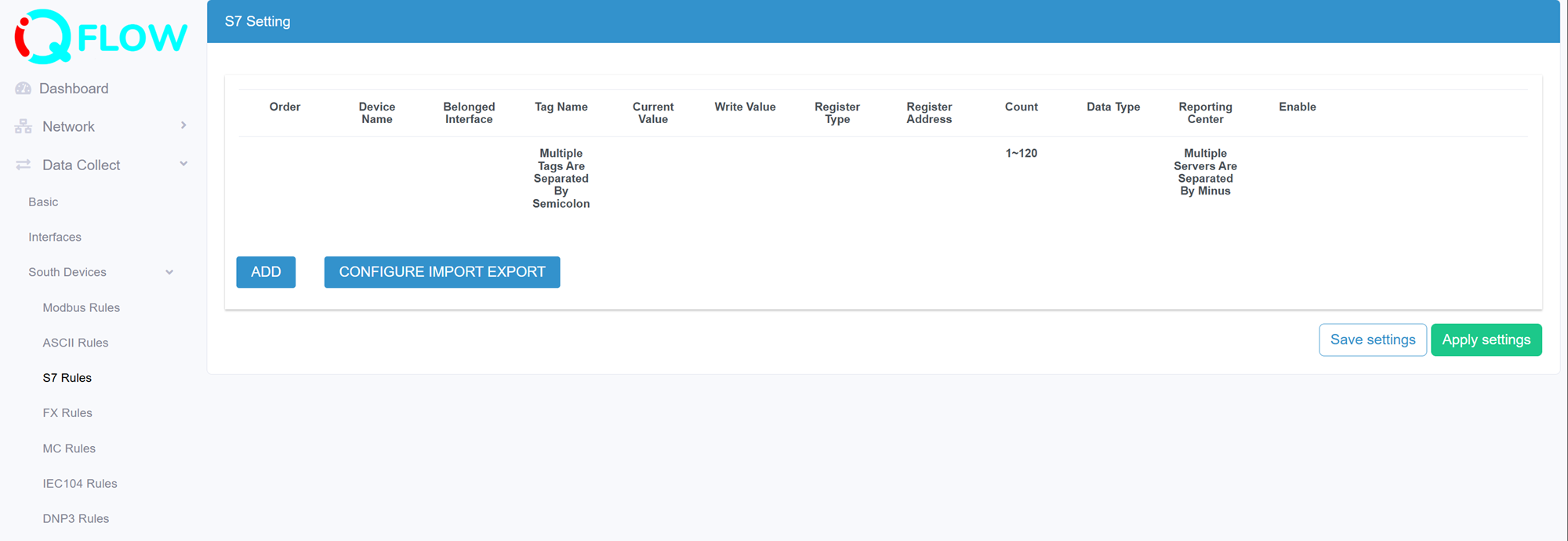
- Preview the current value that collected from southbound device under this rule communication
- Edit the added rule
- Delete the added rule
- Add a new rule
- Export and import the rules configuration in csv template file. This is useful for rules configuration backup and batch operation
Add a S7 rule
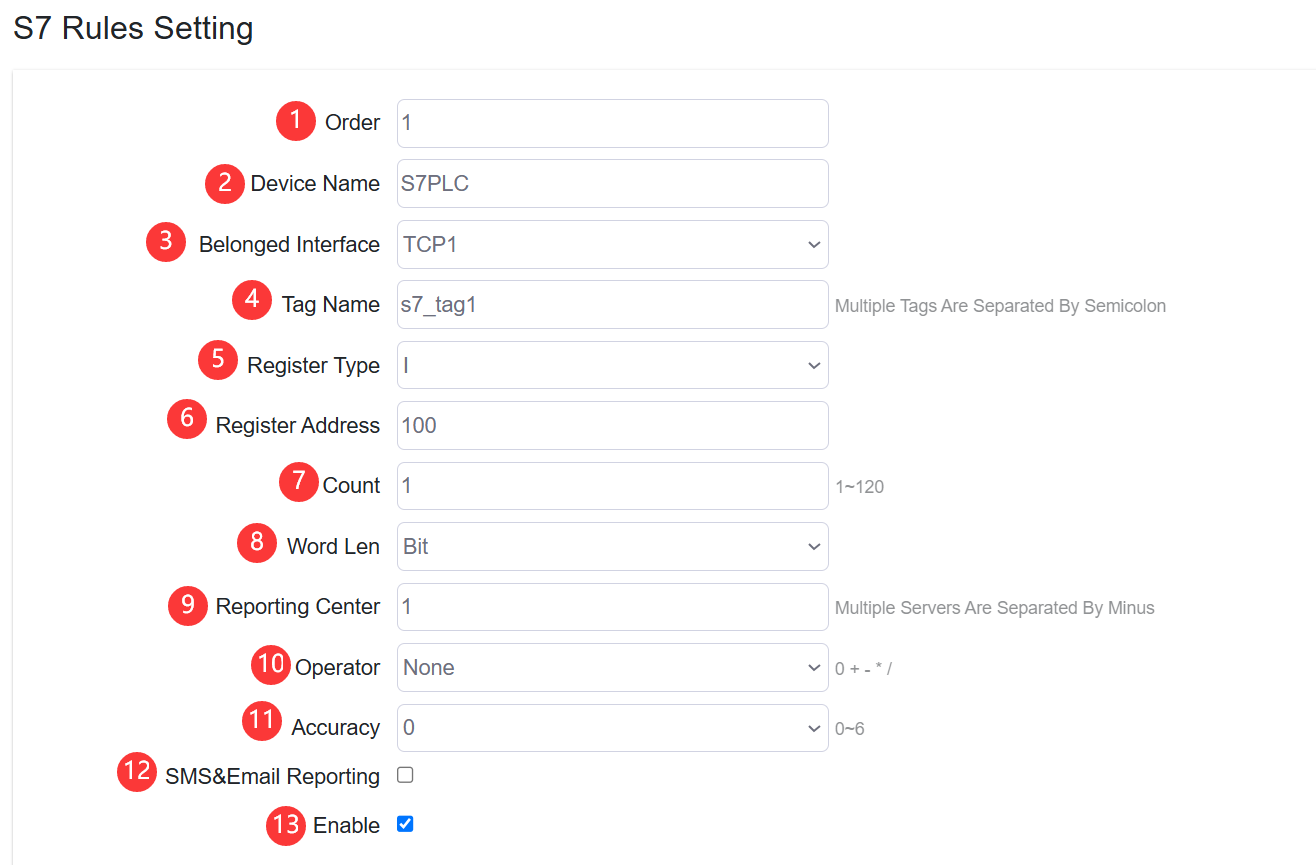
- Set the S7 rule order
- Specify the slave device name
- Configure the belonged interface that the rule applied.
Note: at Interface>> TCP Server setting should select “S7” protocol first to configure a S7 communication rule
- Configure the Tag Name of data returned from slave device.
- Configure the Register type of S7 PLC. Options I, Q, M, DB, V, C, T.
- Configure the Register address
- Configure the count of register quantity
- Configure the Word Length type. Options are:
- Bit
- Byte
- Word
- DWord
- Real
- Counter
- Timer
- Specify the reporting center that the collected data be reported to. The number is associated to North App>>Reporting Server "1~5"
- Configure the operator and operand
- Configure the accuracy of calculated value
- Enable/disable SMS&Email Reporting. It will send report to specified phone number and Email address when value changed or value out of certain range.
- Enable/disable the rule be applied